
PPSPY Review 2026: Honest Verdict for Dropshippers
PPSPY markets itself as an AI-powered Shopify spy tool that helps dropshippers find winning products, track competitor sales, and monitor ad campaigns. With over 130,000 claimed merchants and a promise to improve product success rates by more than 50%, the pitch is compelling. But does the tool actually deliver?
This review is based on hands-on testing, cross-checking PPSPY's data against verifiable store performance, and analyzing real user feedback from Trustpilot, Reddit, and independent review sources. We focus on what matters: whether the numbers you see can be trusted, how the features hold up in practice, and who should actually pay for this tool.
Quick Verdict
PPSPY earns a 6.7 out of 10. It is easy to use and genuinely helpful for early-stage product discovery and store research. However, exaggerated sales estimates and inconsistent data reliability significantly limit how much trust you can place in the numbers.
| Area | Score |
|---|---|
| Ad spy features | 7/10 |
| Database accuracy | 4/10 |
| Update frequency | 6/10 |
| Pricing and value | 8/10 |
| Ease of use | 9/10 |
| Support quality | 6/10 |
Best for: New dropshippers who want a simple interface for browsing products and studying store setups.
Skip if: You depend on accurate sales validation, need strong TikTok ad intelligence, or make decisions directly from tool data.
What Is PPSPY?
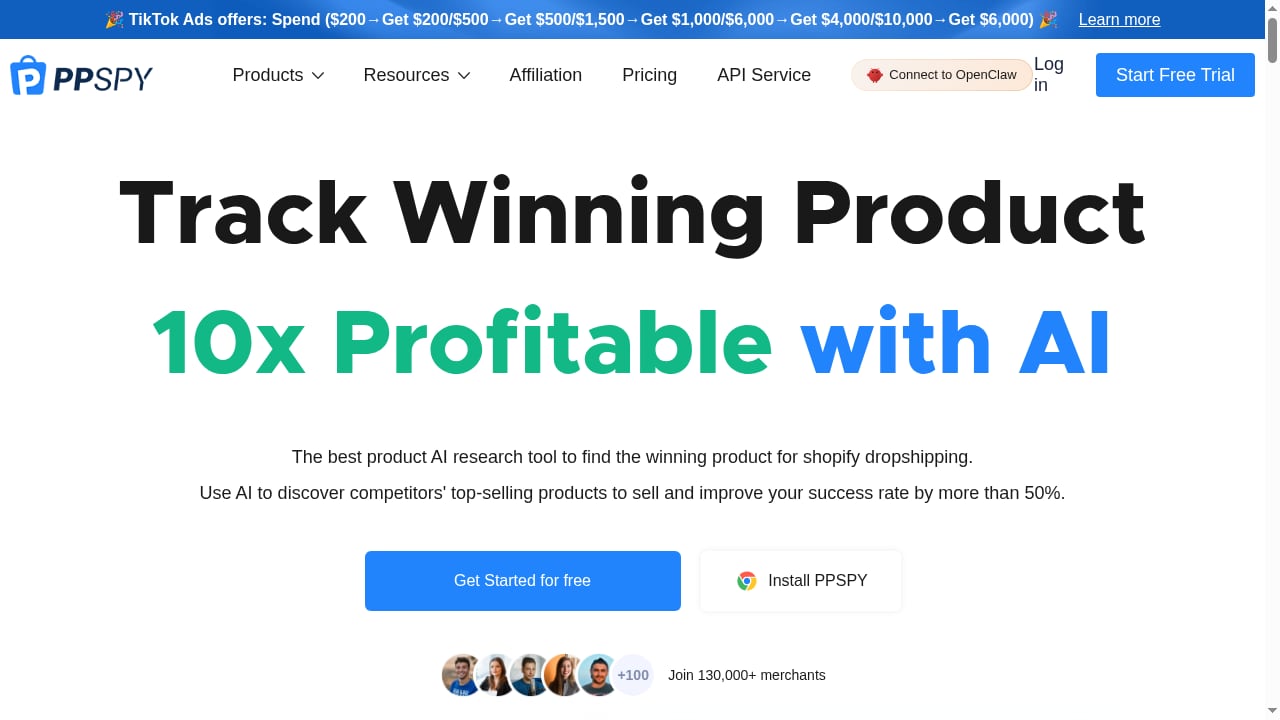
First viewport screenshot of PPSPY: Shopify spy for dropshipping & shopify sales tracker tool.
PPSPY is a Shopify-focused research platform built for dropshipping entrepreneurs. Its core promise is straightforward: help you discover what competitors are selling, how much they are selling, and which ads are driving traffic. The tool combines product research, store analysis, ad monitoring, and sales tracking into one dashboard.
Key features include:
- AI product research with category, price, and ad-signal filters
- A 15-day competitor sales tracker
- Facebook and Instagram ad library
- Shopify store explorer with theme and app detection
- Traffic source analysis
- Browser extension for quick store lookups
- API access for custom workflows
PPSPY positions itself as a comprehensive solution, but the real question is whether "comprehensive" translates to "reliable."
Features Breakdown: What You Actually Get
First viewport screenshot of The Ultimate Guide to Shopify Dropshipping in 2023.
1. Product Research
PPSPY's product research section focuses on filtering large volumes of products into manageable shortlists. During testing, the main controls you actually end up using are:
- Product category and niche selection
- Store region and currency filters
- Price ranges and product creation timing
- Ad-related signals such as active ad sets, duration, reach, and spend indicators
- Platform filters covering Shopify and other e-commerce systems
The interface is practical. Filters apply quickly, results refresh without lag, and the layout makes it easy to move between ads and products. This section is genuinely easy to use.
However, we noticed that several items surfaced repeatedly despite weak external indicators. The system appears to favor visibility and ad presence over confirmed performance. PPSPY works well for exploration — it helps you see what types of products are being promoted and how they are positioned. It does not reliably tell you which products are already winning.
2. Shopify Store Explorer
The Shopify Store section gives you more control over how stores are filtered and reviewed. You can narrow stores based on:
- Store-level details such as title, description, and URL
- Business type filters, including dropshipping, print on demand, cash on delivery, and digital products
- Advertising channels like Meta, TikTok, Pinterest, and Snapchat
- Sales-related inputs such as monthly sales and monthly revenue
- Operational details including currency, language, region, and social media presence
- Technical elements like themes, installed apps, pixel presence, and store structure
The strength of this section is not the sales estimates. It is the visibility into how stores are built and how they operate. Being able to see product counts, launch timing, catalog depth, and app usage makes competitive analysis more concrete.
The advanced filters also help you avoid inactive or abandoned stores. Excluding inactive stores and filtering by recent product activity surfaced businesses that are actively testing or scaling — far more useful than browsing static examples.
3. Ad Library
PPSPY includes an ad library covering Facebook and Instagram ads. The interface focuses on discovery, allowing you to filter ads by platform, region, language, landing page, category, and basic engagement signals.
Ads loaded quickly and filters worked as expected during testing, making it easy to scan what is currently being promoted. For surface-level research, this helps identify active products and messaging angles without much friction.
The limitations show up once deeper analysis is needed. Historical depth is shallow, creative-level insights are minimal, and TikTok coverage lacks detail compared to dedicated ad spy tools. You can see what is running, but not much context around performance or longevity. If TikTok intelligence is a priority, you may want to compare PPSPY against dedicated alternatives like Dropispy or explore a broader ad creative database approach.
4. Sales Estimator
PPSPY claims it can track sales close to real time and show sales data going back about fifteen days.
When we tested this, the numbers often did not line up with what we could observe from the stores themselves. In some cases, the estimates roughly followed visible activity. In others, they did not match traffic levels, product availability, or basic store behavior.
The problem was inconsistency. The same type of store could show reasonable estimates one time and exaggerated figures another time. Newer stores were especially unreliable, but even established ones showed swings that were hard to explain.
Because of that, we did not treat the sales estimator as a source of truth during testing. At best, it offered a loose signal that something might be happening. Use the sales numbers as hints, not facts, and always verify them elsewhere.
What Real Users Say
We analyzed feedback from Trustpilot, Reddit threads, YouTube comments, and other discussion forums. The volume of reviews is limited, but the themes are consistent.
Sales Data Accuracy Issues
Sales accuracy is the biggest problem users mention. On Reddit, one user shared that PPSPY showed their store doing around $200k in revenue, even though the store had not crossed $1k in real sales. The store was barely a few weeks old. The gap was too large to explain away as estimation error.
Other users reported similar situations, including revenue being shown for stores that were not fully operational or had obvious limitations around checkout or payments. The pattern is consistent: PPSPY assigns strong revenue numbers where there is little visible proof that sales at that level are actually happening.
Trustpilot reviews show the same frustration. Multiple users describe the revenue reports as wrong and exaggerated. Some explicitly call the reports fake, not because they expect perfect accuracy, but because the numbers feel disconnected from reality.
Trustpilot Sentiment Is Overwhelmingly Negative
PPSPY's Trustpilot profile currently shows a low TrustScore around 2.8 out of 5, with visible reviews mostly rated one star. The feedback focuses on a few specific areas:
- Data does not match what users see in real store performance
- The tool did not help identify products users felt confident moving forward with
- Refund requests were denied after users realized the tool was not a fit
The total number of reviews is limited, but the concerns raised follow similar themes. We treated those comments as context rather than conclusions and compared them against what we observed during hands-on testing.
Pricing: What It Actually Costs
PPSPY pricing looks straightforward on the surface, but the real constraint is the credit-based system behind each plan.
All plans run on monthly credits. Credits are used when you load stores, scan products, pull ads, or refresh results. Higher plans give you more credits, but none of them remove credit usage entirely. During testing, longer research sessions burned through credits faster than expected, especially when switching filters or checking multiple stores together.
The lower plan works for light use. Once research becomes daily, the Pro plan is the practical minimum. The Business plan increases volume only — it does not unlock meaningfully different features or improve data accuracy.
PPSPY does offer a free trial, which is worth using before committing. Just be aware that the trial experience may not reflect the credit constraints you will hit on a paid plan.
Setup and Onboarding
First viewport screenshot of The Ultimate Guide to Drop Servicing: Start an Online Service Business.
Getting started with PPSPY is straightforward. Sign-up is quick, the dashboard loads fast, and the browser extension installs without friction. The interface is clean and modern, with clear navigation between product research, store explorer, and ad library sections.
PPSPY also maintains a library of educational content around dropshipping and Shopify, which is a nice bonus for beginners. The learning curve is minimal — most users will feel comfortable within the first session.
Where setup becomes less pleasant is the credit system. New users often do not realize how quickly credits deplete until they are mid-research session. If you are evaluating the tool, plan your trial around a specific research question rather than open-ended browsing.
PPSPY vs. Alternatives
First viewport screenshot of Changing Payment Method on Shopify: A Step-by-Step Guide.
If you are considering PPSPY, it is worth comparing it against other tools in the same category.
PPSPY vs. Dropispy
Dropispy is another ad spy tool popular with dropshippers. Dropispy tends to offer stronger ad creative visibility and a more reliable Chrome extension experience in some areas, while PPSPY has a cleaner store explorer and more Shopify-specific filters. If your workflow revolves around ad creative analysis, Dropispy may be the better fit. If you spend more time researching store structures and product catalogs, PPSPY's interface is more pleasant to use.
PPSPY vs. Dedicated Ad Intelligence Platforms
For serious ad research, tools like AdsLibrary offer deeper historical data, better TikTok coverage, and more reliable performance signals. PPSPY's ad library is fine for surface-level scanning, but it does not compete with dedicated ad intelligence platforms when you need to understand creative longevity, spend patterns, or cross-platform performance.
PPSPY vs. Manual Research
For beginners on a tight budget, manual research using free tools can cover a lot of the same ground. Shopify store exploration, theme detection, and basic ad scanning are all possible without a paid subscription. PPSPY's value is convenience and aggregation, not exclusive data. If you are still learning the fundamentals of winning product research, start with free methods and upgrade only when the time savings justify the cost.
Who Should Use PPSPY?
Good Fit For:
- New dropshippers who want a simple, visual way to browse products and study store setups
- Store researchers who care more about theme detection, app usage, and catalog structure than sales numbers
- Light users who only need occasional competitor checks and can stay within the lower credit tiers
Poor Fit For:
- Data-driven decision makers who need accurate sales validation before committing to a product
- TikTok-focused advertisers who need deep TikTok ad intelligence
- High-volume researchers who will burn through credits quickly and find the cost-per-insight ratio unfavorable
Related reading
- Foreplay Tutorial: 20+ Techniques, Tips & Step-by-Step Ideas - Learn foreplay step by step with 20+ techniques, expert tips, and practical ideas. Build arousal, improve intimacy, and make sex more satisfying.
- Foreplay: What It Is, Why It Matters, and 20+ Ideas to Try - Learn what foreplay really means, why it matters for arousal and intimacy, and get practical foreplay ideas, tips, and techniques for better sex.
Sources and further reading
- PPSPY Review (2026): Hands-On Testing & Real User Reviews - PPSPY review based on hands-on testing. We analyzed Shopify sales tracking, ad spy data, accuracy issues, pricing, and real user complaints.
- How accurate is the information from PPSPY? : r/dropshipping - Reddit - Mar 21, 2024 ... I've been spying on a dropshipper in the fashion niche, who has a very average website, of lower quality than those that don't make sales ...
Frequently Asked Questions
Is PPSPY accurate?
PPSPY's sales estimates are frequently inaccurate, especially for newer stores. During testing, we observed estimates that did not match traffic levels, product availability, or basic store behavior. Multiple users have reported revenue figures that were wildly disconnected from reality. Treat PPSPY's sales numbers as loose signals, not facts.
Does PPSPY offer a free trial?
Yes, PPSPY offers a free trial. It is worth using before committing to a paid plan, but be aware that the trial experience may not reflect the credit constraints you will hit on a paid subscription.
What is PPSPY's pricing?
PPSPY uses a credit-based pricing model. All plans run on monthly credits that are consumed when you load stores, scan products, pull ads, or refresh results. Higher plans give you more credits, but none remove credit usage entirely. The lower plan works for light use; daily researchers will need at least the Pro plan.
Is PPSPY worth it for dropshipping?
PPSPY is worth it if you are a beginner who wants a simple interface for product discovery and store research, and you do not rely on sales estimates for decision-making. If you need accurate sales validation or deep ad intelligence, you will likely be disappointed.
Can I get a refund from PPSPY?
Refund complaints appear in user reviews. Some users report being unable to get a refund after realizing the tool was not a fit. Review the refund policy carefully before purchasing.
Does PPSPY track TikTok ads?
PPSPY's TikTok coverage is limited compared to dedicated ad spy tools. The ad library focuses primarily on Facebook and Instagram ads, with minimal TikTok detail.
Final Verdict
PPSPY is a visually polished, easy-to-use Shopify research tool that falls short where it matters most: data reliability. The store explorer and product research filters are genuinely useful for exploration, and the interface is among the more pleasant ones in this category. For a beginner who wants to browse products, study store setups, and get a general sense of what competitors are promoting, PPSPY can be a helpful starting point.
But the sales estimator — the feature that justifies the "spy tool" positioning — is not trustworthy enough to base decisions on. When a tool shows a weeks-old store doing $200k in revenue that does not exist, the entire value proposition comes into question.
Our recommendation: use the free trial to explore the store and product research features. If those alone justify the price for your workflow, proceed with the lowest tier. If you need accurate sales data or serious ad intelligence, look elsewhere — or combine PPSPY with a more reliable ad spy alternative and verify every number before you spend a dollar on inventory.
PPSPY is a decent exploration tool wrapped in an overpromising sales-tracking pitch. Know the difference before you pay.