

Minea Download: How to Install the App and Chrome Extension (2026)
If you searched for "Minea download," you probably want to know one of three things: whether Minea has a desktop app, how to add its Chrome extension, or whether you need to install anything at all. The short answer is that Minea is primarily a browser-based tool, but there are a few ways to access it depending on how you work.
This guide covers every current Minea download option, the steps to get each one running, what each version actually does, and how to decide whether Minea is the right research tool for your workflow in 2026.
Does Minea have a download? The short answer
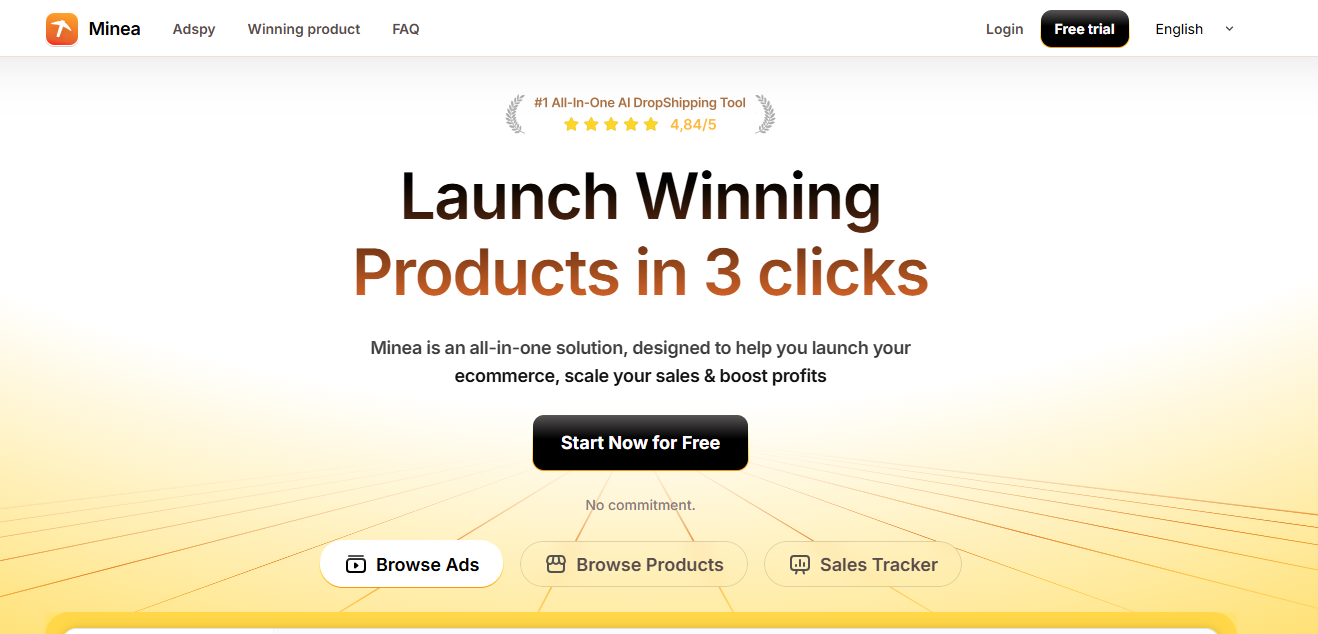
Minea Download: How to Install the App and Extension (2026) - Does Minea have a download? The short answer.
Minea is a web application. You sign up, log in, and use it inside a browser. That means the core product does not require a traditional installer.
However, there are two additional access methods worth knowing about:
- Chrome extension — adds Minea's ad and product research features directly to your browser, so you can analyze pages and ads without switching tabs.
- Desktop app wrapper — a third-party option that packages the Minea web app as a Mac or Windows application.
So when people ask about a "Minea download," they usually mean one of these two, not a native Minea installer from the company itself.
Option 1: Use Minea in your browser (no download)
Minea Download: How to Install the App and Extension (2026) - Option 1: Use Minea in your browser (no download).
The fastest path is to skip downloading anything. Create an account, log in, and start researching.
- Go to the Minea website and register for an account.
- Verify your email and log in.
- Choose a plan or start with whatever trial access is currently offered.
- Use the main tools: Ads, Products, and Shops.
This is the recommended approach if you are evaluating Minea for the first time. You get the full feature set without installing anything, and you can cancel or change plans without uninstalling software.
If you want a step-by-step walkthrough of the actual research workflow rather than the setup, see our guide on how to use Minea for product research, ad spy, and store analysis.
Option 2: Install the Minea Chrome extension

Minea Download: How to Install the App and Extension (2026) - Option 2: Install the Minea Chrome extension.
The Chrome extension is the most practical "download" for most users because it puts Minea's research tools on top of the pages you already browse.
What the extension does
Based on Minea's own product pages, the extension is designed to let you:
- Capture a screenshot or upload an image and instantly see related ads and creatives.
- Analyze products and shops you encounter while browsing.
- Move from a product page to ad research without leaving your current tab.
How to install it
- Open the Chrome Web Store in Chrome, Edge, Brave, or another Chromium browser.
- Search for "Minea" and confirm the publisher matches the official Minea listing.
- Click Add to Chrome and confirm the permissions prompt.
- Pin the extension to your toolbar for quick access.
- Log in with your Minea account when prompted.
Permissions to expect
Browser extensions that read page content typically request access to the sites you visit. Review the permission list before installing, and only grant access if you are comfortable with what is requested. If you are unsure, install it in a separate browser profile used only for research.
Option 3: Minea as a desktop app for Mac and Windows
There is no official native Minea desktop client distributed by Minea itself. What exists is a third-party wrapper: WebCatalog offers Minea as a desktop app for Mac and Windows, which essentially runs the web app in its own window.
Should you use it?
| Factor | Web app (browser) | Desktop wrapper |
|---|---|---|
| Installation required | No | Yes |
| Updates | Automatic | Depends on wrapper |
| Multiple accounts | Easy with browser profiles | Limited |
| Support | Official | Third-party |
| Best for | Most users | People who want a dedicated window |
A desktop wrapper can be convenient if you like keeping research separate from your main browser tabs. But it adds a dependency between you and the official product, and any login or display issue has to be resolved through the wrapper, not Minea support. For most sellers, the browser version plus the Chrome extension is the better combination.
What you actually get after installing
Once you have access, Minea's core value is product and ad research. Its own site describes it as an e-commerce product search tool that tracks ads across networks, with daily winning products, smart filters for ads and shops, and a Shopify store creation shortcut.
In practice, that means you can:
- Browse a daily feed of trending products that already have active ads behind them.
- Filter ads and shops by criteria such as engagement, recency, or category.
- Reverse-engineer which creatives are running for a given product.
- Move from a product idea to a store setup more quickly.
That is a solid starting point for dropshipping and ecommerce research. The limitation is depth: if you need cross-platform coverage, spend and reach signals, or duplicate detection across Facebook, TikTok, and the Meta Ad Library, you will likely want a second tool alongside it.
Minea download vs. other ad spy tools: what to compare
Before you commit to any install, compare the underlying research capability, not just the download method. The questions that matter:
- Platform coverage — Does it cover Facebook, TikTok, and the Meta Ad Library, or mostly one network?
- Search flexibility — Can you search by keyword, URL, or advertiser, or only browse categories?
- Ad metrics — Do you get reach, spend estimates, and duplicate counts, or just creative previews?
- Creative downloads — Are downloads unlimited, or capped by plan?
- Pricing model — Credits, seats, or flat monthly fee?
For a side-by-side look at how Minea stacks up against other tools on these exact criteria, see our comparisons of PrimeSpy vs Minea vs GetHookd and PrimeSpy vs AdSpy vs Adspo.
If your priority is multi-platform coverage with detailed ad metrics and a credit-based price point, PrimeSpy is built for that use case: smart search by keyword, URL, or advertiser; advanced filters; reach, spend, and duplicate data; and a free trial with 500 credits. It is a research tool, not a copy machine — the point is to spot trends and validate ideas with data rather than clone competitors.
Common Minea download problems and fixes
The extension does not appear after installing. Check that it is pinned and that you are logged into the correct Minea account. Some features require an active subscription.
The desktop wrapper will not load. Clear the wrapper's cache or reinstall it. If the issue persists, test the same account in a normal browser to confirm the problem is the wrapper, not your account.
Login loops or blank pages. Disable conflicting extensions, allow third-party cookies for the Minea domain if required, and try a clean browser profile.
You cannot find an official installer. That is expected. Minea does not distribute a native desktop client, so any "Minea installer" from an unofficial source should be treated with caution.
Security notes before you download anything
- Only install the extension from the official Chrome Web Store listing.
- Verify the publisher name before granting permissions.
- Avoid third-party "cracked" or "free premium" installers — they are a common malware vector.
- Use a dedicated browser profile for research tools if you handle sensitive accounts in the same browser.
Related reading
- PrimeSpy vs SellerCenter vs Pipiads: 2026 Ad Spy Comparison - Compare PrimeSpy, SellerCenter, and Pipiads on ad coverage, search, analytics, and pricing to choose the right ad spy tool for your 2026 campaigns.
- Ad Campaign Tracking: A Practical Setup Guide for 2026 - Learn how ad campaign tracking works in 2026: UTMs, pixels, server-side events, attribution, and how to verify competitor ad activity.
- PrimeSpy vs BigSpy vs SocialPeta: 2026 Ad Spy Comparison - Compare PrimeSpy, BigSpy, and SocialPeta on ad coverage, search, spend signals, and pricing to pick the right ad spy tool for 2026.
Sources and further reading
- Minea - Leading Adspy for Ecommerce and Dropshipping Products - Minea, the most comprehensive e-commerce product search tool, tracks all ads across all networks. Save now!
- Minea - Desktop App for Mac & Windows - WebCatalog - Download Minea for Mac & Windows as a desktop app. Minea is a product research and ad spy tool for online sellers, analyzing market trends and competitor strategies across multiple social media platforms.
- Minea | Find your winning product in 3 clicks. - Using the most advanced AI powered adspy, we help you find your next winning product.
FAQ
Is there an official Minea desktop app?
No. Minea is a web-based tool. Desktop versions that exist are third-party wrappers that run the web app in a standalone window.
Is the Minea Chrome extension free?
The extension itself is free to install, but the research features it unlocks depend on your Minea account and plan. Check the current pricing page for details.
Can I use Minea without downloading anything?
Yes. Registering and logging in through a browser gives you access to the full web app without any installation.
Does Minea work on Mac and Windows?
Yes, through the browser on both platforms. The third-party desktop wrapper is also offered for Mac and Windows.
What is the difference between the Starter and Premium plans?
Minea's own site lists both plans and addresses this in its FAQ. Plan limits typically differ in credits, feature access, and usage caps, so confirm current terms on the official pricing page before subscribing.
Is Minea enough on its own for ad research?
For basic product discovery, often yes. For cross-platform coverage, spend and reach signals, and duplicate detection, many sellers pair it with a dedicated ad intelligence tool.
Conclusion
A "Minea download" is really a choice between three access methods: the browser app, the Chrome extension, and a third-party desktop wrapper. For most users, the browser plus extension combination is the fastest and safest route — no installer, automatic updates, and official support.
Install only from official sources, verify permissions, and judge the tool by its research depth rather than its download method. If you need broader platform coverage and richer ad metrics, compare Minea against alternatives before you commit, and let the data decide.