
Top 10 Swipe File Software Products 2026
A swipe file is only as useful as your ability to find the right reference at the right moment. Most marketers and copywriters already collect inspiration, but they store it in scattered bookmarks, screenshots, and half-remembered links. The result is a library that never gets used when it matters.
Swipe file software solves that problem by turning saved ads, emails, landing pages, and headlines into a searchable, organized system. The best tools do more than store screenshots: they help you capture the why behind a winning piece of creative, retrieve it by attribute, and share it with a team.
This ranking evaluates ten tools that genuinely belong in the swipe file software category. Each one was assessed against five criteria: capture fidelity, retrieval by attribute, annotation friction, team collaboration, and honest cost at scale.
How We Ranked These Tools
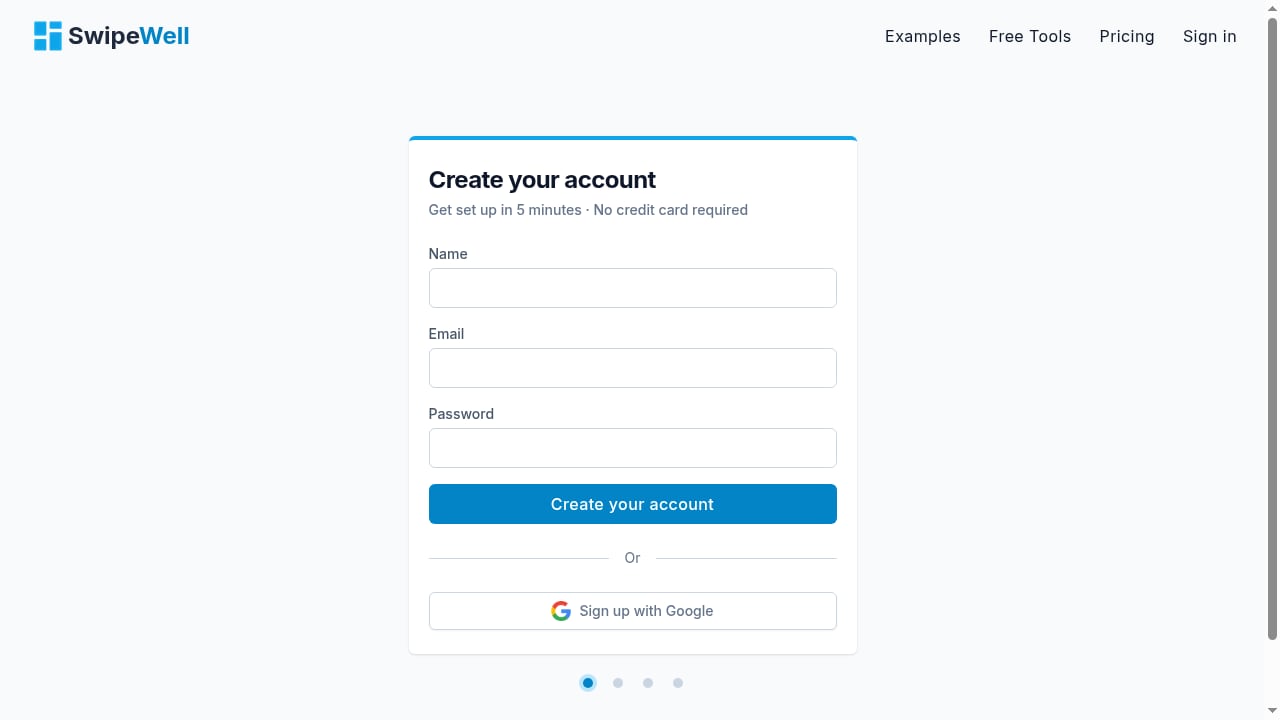
First viewport screenshot of SwipeWell | Swipe File Software.
Every product on this list was evaluated against the same five criteria, weighted by how much they affect real-world use:
- Capture fidelity — Does the tool save a permanent copy of the page or ad, or just a link that can break?
- Retrieval by attribute — Can you find a specific example by tag, filter, or search when you need it?
- Annotation friction — How easy is it to record why an example worked at the moment you save it?
- Team collaboration — Can multiple people contribute, comment, and share collections without chaos?
- Honest cost at scale — What does the tool actually cost for a solo marketer versus a six-person team?
Deliberately not weighted: how many pre-loaded examples a tool ships with. Curated libraries are useful for browsing, but they are not your swipe file. Your swipe file is the collection you build from your own research.
Top 10 Swipe File Software Products for 2026
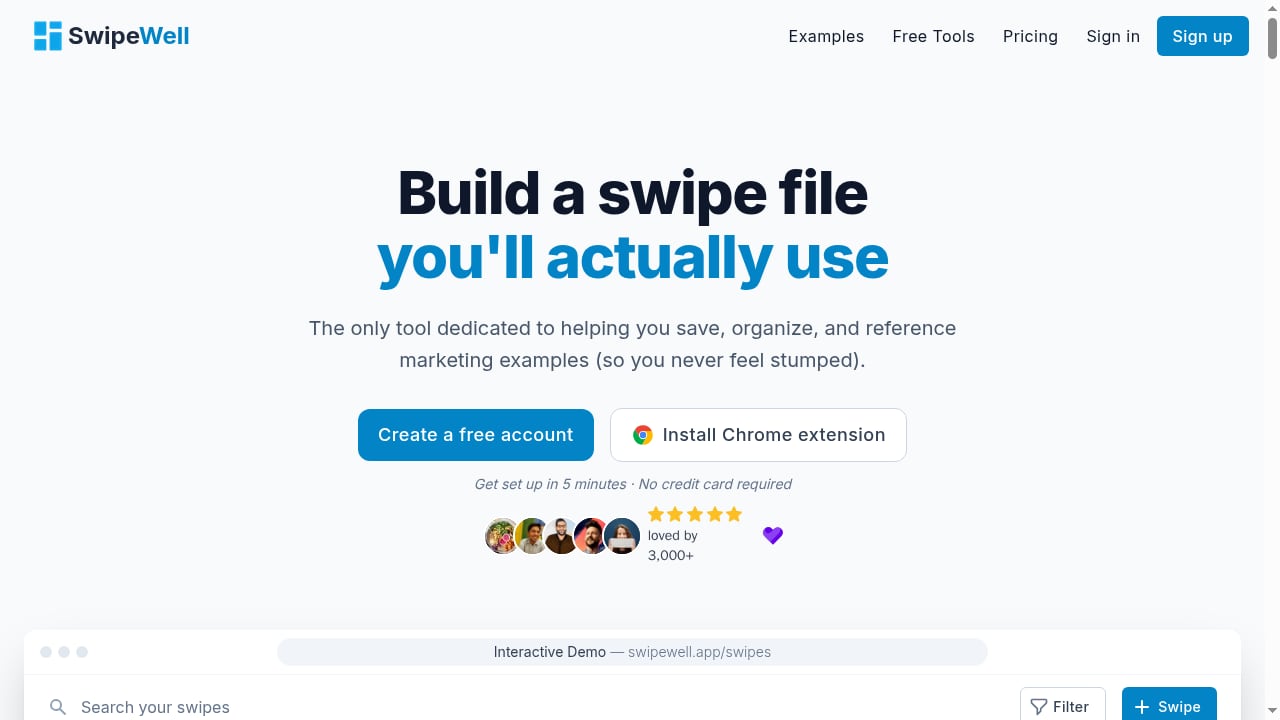
First viewport screenshot of SwipeWell | Swipe File Software.
1. SwipeWell
Best for: purpose-built swipe file management across web, mobile, and team workflows.
SwipeWell is the only tool on this list designed exclusively for managing swipe files. It combines a Chrome extension, web dashboard, and mobile apps to capture screenshots of ads, emails, landing pages, and social posts into a searchable library.
The core workflow is fast: click the extension, crop the relevant section, add tags and a note, and the swipe is saved. Tagging, collections, and advanced filtering make retrieval practical even as a library grows into the thousands. Email forwarding and bulk imports let you pull in swipes from other sources without manual copying.
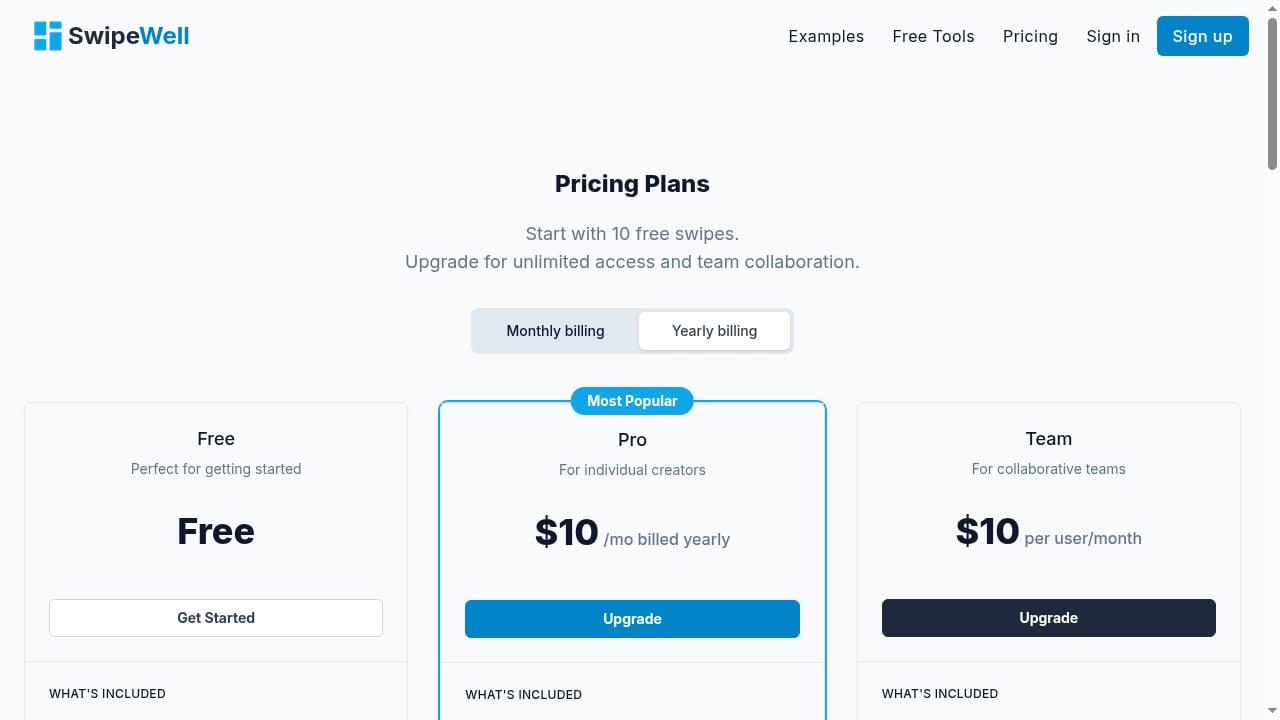
For teams, SwipeWell supports shared collections and embeddable boards, which solves a common agency problem: getting inspiration out of one person's head and into a format the whole team can browse. The freemium model offers 10 free swipes, with paid plans unlocking unlimited saves, Ad Finder, and collaboration features.
Evidence: SwipeWell's focused feature set directly addresses the two biggest swipe file failure points identified across the category: dead links and forgotten context. Permanent screenshots solve the first; one-click annotation solves the second. Bootstrapped and built by two independent founders, the product avoids the bloat that comes from trying to be a general productivity tool.
Pricing: Free tier with 10 swipes; paid plans unlock unlimited saves and team features.
2. Notion
Best for: structured swipe file libraries with custom properties and filtered views.
Notion is not a swipe file tool by design, but it is one of the most flexible options for building a serious, long-term swipe file. You can create a database with custom properties for copy type, market, persuasion element, source, performance data, and your own annotations.
Gallery view lets you browse visually. Filter and sort let you find exactly what you need in seconds. If you are building a swipe file that will grow over years, Notion's structure scales better than most dedicated tools.
The trade-off is setup time. Notion rewards the user who maintains properties and templates. Capture is slower than a dedicated extension, and the tool does not automatically store permanent page copies, so links can still break.
Evidence: Multiple professional copywriters and marketers identify Notion as the most flexible option for managing a serious swipe file, particularly when custom properties and filtered views matter more than capture speed.
Pricing: Free tier; paid plans from approximately $10 per month.
3. Raindrop.io
Best for: capture with permanent page copies.
Raindrop is a bookmark manager that solves the dead link problem better than most dedicated swipe file tools. On paid plans, it stores permanent copies of saved pages, which means a landing page that gets redesigned or an ad that stops running still exists in your library exactly as you saw it.
Full-text search works across saved content, and tags plus collections provide enough structure for most solo workflows. The browser extension is fast, and the interface is cleaner than most general bookmark tools.
Raindrop does not help you extract patterns or mechanisms from your saved examples, and annotation is limited to notes rather than structured fields. But as a capture layer, it is one of the strongest options available.
Evidence: Independent reviews consistently rank Raindrop as the best capture layer for swipe files because permanent page copies are the real fix for dead links — a problem that quietly destroys link-based libraries over time.
Pricing: Free tier; paid plans from approximately $3 per month.
4. Airtable
Best for: analysis at scale with relational databases.
Airtable takes the structured library concept further than Notion. Its relational database model lets you link swipes to campaigns, clients, markets, and performance outcomes. If you want to ask questions like "show me every B2B onboarding email that used a deadline and converted above 3%," Airtable is built for that.
Interface views, filtered grids, and formula fields give you analytical power that no dedicated swipe file tool currently matches. The cost is complexity: setup takes real time, and the learning curve is steeper than most marketers want for a simple inspiration library.
Evidence: Airtable appears consistently in swipe file rankings as the strongest option for teams that need to analyze saved examples at scale, rather than just store them.
Pricing: Free tier; paid plans from approximately $20 per seat per month.
5. Eagle
Best for: visual ad and static creative libraries.
Eagle is a desktop app for organizing images, screenshots, and design files. For marketers who primarily swipe visual ads, landing page screenshots, and static creative, Eagle's tagging, color search, and folder system are faster and more visual than database tools.
It stores files locally, which means your swipe file works offline and you own the data. The one-time purchase model also makes it one of the most cost-effective options for solo users.
The limitation is collaboration. Eagle is built for individual use, and sharing collections with a team requires workarounds. It also does not capture web pages with live text, so copy-focused swipes require a screenshot plus manual transcription.
Evidence: Eagle is consistently recommended for visual ad swipes because its tagging and color search outperform general-purpose tools for image-heavy libraries.
Pricing: One-time purchase, approximately $30.
6. Milanote
Best for: visual arrangement and mood-board-style swipe files.
Milanote is a visual workspace that works well for arranging saved examples into boards. If your swipe file process involves laying out references side by side to spot patterns, Milanote's canvas approach is more natural than a database grid.
It supports images, links, notes, and basic tagging. The visual format makes it easy to group examples by campaign, angle, or format and share boards with clients or team members.
The trade-off is structure. Milanote is not built for querying a large library by attribute, and search is weaker than dedicated database tools. It works best as a working board for active projects rather than a long-term archive.
Evidence: Milanote appears in swipe file tool rankings as a strong option for visual arrangement, particularly for creative teams that think in boards rather than tables.
Pricing: Free tier; paid plans from approximately $10 per month.
7. Foreplay
Best for: research-led strategists who want swipe files plus a briefing workflow.
Foreplay started as a research and swipe file tool and has expanded into creative analytics. Its Lens module now reports on live account performance, which makes it one of the few tools on this list that connects saved inspiration to actual campaign results.
For strategists, the combination is powerful: save competitor ads and landing pages into a swipe file, then build briefs directly from those references. The workflow reduces the gap between research and production.
Foreplay's analytics layer is lighter than dedicated creative analytics platforms, and the tool is less focused on pure swipe file management than SwipeWell. But for teams that want research and briefing in one place, it is a strong option.
Evidence: Independent creative analytics rankings identify Foreplay as the category's best swipe-file and briefing workflow, with a solid analytics layer and the lowest price among comparable tools.
Pricing: Lower-priced tier compared to dedicated creative analytics platforms.
8. Obsidian
Best for: mechanism extraction through linked notes.
Obsidian is a local Markdown note-taking app with backlinks and tags. It is not a swipe file tool in the traditional sense, but it is one of the best options for the highest-value part of swiping: extracting why an example worked.
Because everything in Obsidian is a linked note, you can connect a saved ad to the mechanism behind it, then link that mechanism to other examples that use the same pattern. Over time, this builds a personal library of persuasion principles rather than just artifacts.
The trade-off is capture. Obsidian has no web clipper with permanent page copies, and saving visual examples requires manual screenshots and file management. It rewards the writer who maintains notes, not the marketer who wants fast capture.
Evidence: Obsidian appears in swipe file rankings as a strong option for level-three swiping — extracting mechanisms — because tags and backlinks support pattern recognition better than folder hierarchies.
Pricing: Free for personal use; paid sync from approximately $8 per month.
9. Swiped.co
Best for: curated examples with teardowns.
Swiped.co is a curated library of marketing examples with teardowns that explain why each example works. It is not a tool for building your own swipe file, but it is a useful source for discovering new patterns and learning from annotated examples.
The teardowns are the value. Instead of just seeing a headline or landing page, you get an explanation of the mechanism behind it. For copywriters who are still learning to identify persuasion patterns, this is a useful training resource.
The limitation is obvious: you cannot build your own library here. It is a source to pull from, not a system to organize your own research.
Evidence: Swiped.co appears in swipe file tool rankings as a curated example source with teardowns, positioned as a browsing resource rather than a personal archive.
Pricing: Free tier; paid access for full library.
10. Apple Notes
Best for: the zero-cost floor.
Apple Notes is the baseline. It is free, available on every Apple device, and fast enough for quick capture. For a solo marketer who just needs a place to paste screenshots and write a sentence about why an example worked, it is better than no system at all.
The limitations are significant: no permanent page copies, weak tagging, no team collaboration, and search that degrades as the library grows. But as a starting point, it beats scattered bookmarks.
Evidence: Apple Notes appears in swipe file rankings as the floor — the zero-cost option that works for basic capture but does not scale.
Pricing: Free.
How to Choose the Right Swipe File Software
First viewport screenshot of SwipeWell | Swipe File Software.
The right tool depends on which part of the swipe file workflow is causing you the most friction:
- If capture is the problem — links keep breaking, screenshots get lost — choose SwipeWell or Raindrop for permanent copies and fast browser capture.
- If retrieval is the problem — you have hundreds of swipes but cannot find the right one — choose Notion or Airtable for structured fields and filtered views.
- If pattern recognition is the problem — you save examples but never extract the why — choose Obsidian for linked notes or SwipeWell for annotation at capture time.
- If collaboration is the problem — inspiration lives in one person's head — choose SwipeWell or Milanote for shared boards and team collections.
Swipe Files and Ad Intelligence: Complementary Workflows
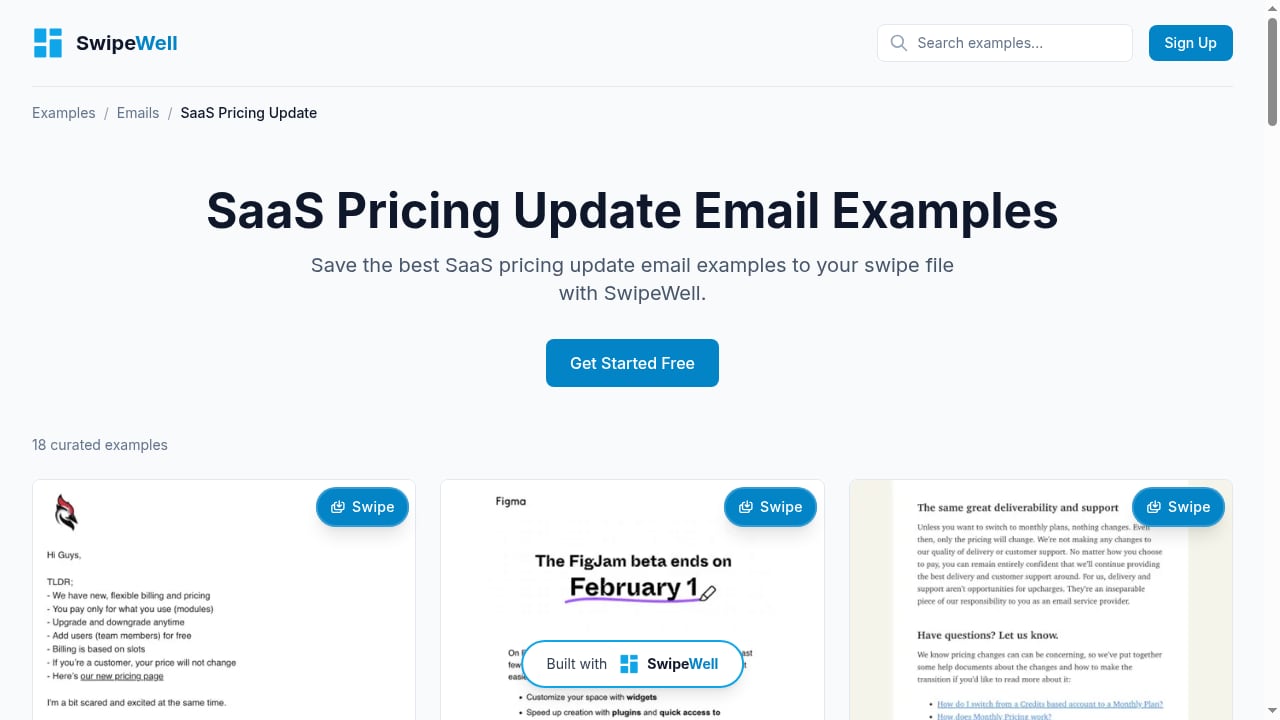
First viewport screenshot of 18 Best SaaS Pricing Update Email Examples | Marketing Examples.
Swipe file software and ad intelligence tools solve different problems, but they work well together. A swipe file stores the examples you have already found and want to study. An ad spy tool helps you discover new examples worth saving in the first place.
For example, if you are researching Facebook and TikTok ads for a new campaign, you might use an ad intelligence tool to find competitor creatives and identify which ones have been running longest — a signal that they are likely profitable. Once you find winning examples, you save them to your swipe file for pattern analysis and team reference. PrimeSpy is one option for that discovery step, with multi-platform search across Facebook, TikTok, and Meta Ad Library, plus credit-based pricing that starts with a free trial. For a deeper look at how that workflow fits together, see How to Use PrimeSpy with Facebook for Winning Ad Research.
The key distinction: ad spy tools answer "what is running right now?" while swipe file software answers "what have I saved, and why did it work?" Both are useful, but they belong in different parts of your research stack.
Related reading
- Adplexity Social Review: Deep Dive for Meta Ad Buyers - An evidence-based Adplexity Social review covering features, ideal users, pricing signals, and how its post-click intelligence helps scale Facebook and Instagram campaigns.
- What Is Shopify? The Complete Guide for Beginners - Learn what Shopify is, how it works, and why it powers millions of online stores. A beginner-friendly breakdown of features, pricing, and selling strategies.
- PrimeSpy vs Winning Hunter vs Swipekit: Which Ad Tool Wins? - Compare PrimeSpy, Winning Hunter, and Swipekit for ad intelligence, product research, and creative workflows. Find the best fit for your business model.
Sources and further reading
- The 11 Best Swipe File Tools (2026): The Swipe Ladder - Storyflow, Notion, Raindrop, Airtable, Eagle, the Meta Ad Library and five more ranked for swipe files by which rung of the swipe ladder (artifact, structure, mechanism) each one gets you to.
- Best Creative Analytics Tools in 2026 - Independent ranking of the 8 best creative analytics tools in 2026. Compares Motion, Superads, Atria, MagicBrief, Crux, Madgicx, Foreplay, and NewForm's Framework on tagging depth, decisioning, platform coverage, and price.
- Best Copywriting Tools in 2026: 27 Tools Pro Copywriters Actually Use - The 27 best copywriting tools professional direct-response writers use daily — research, writing, AI, analytics, and project management tools ranked by category.
Frequently Asked Questions
What is swipe file software?
Swipe file software is a tool for capturing, organizing, and retrieving marketing examples — ads, emails, landing pages, headlines, and social posts — that you want to study for inspiration and pattern recognition. The best tools store permanent copies of examples, support tagging and filtering, and make it easy to record why an example worked.
Is a swipe file the same as an ad spy tool?
No. A swipe file is your personal library of saved examples. An ad spy tool is a research tool for discovering what competitors are currently running. They are complementary: use an ad spy tool to find winning ads, then save the best examples to your swipe file for deeper study.
What is the best free swipe file software?
SwipeWell offers a free tier with 10 swipes, which is enough to test the workflow. Notion, Raindrop, Airtable, and Apple Notes all have free tiers that work for basic swipe file management. The best free option depends on whether you prioritize structure (Notion), capture fidelity (Raindrop), or simplicity (Apple Notes).
How many examples should a swipe file have?
Quality matters more than quantity. A swipe file with 50 well-annotated examples that you actually study is more valuable than 5,000 screenshots you never revisit. Focus on saving examples that demonstrate a specific mechanism or pattern, and write a one-sentence note about why each one worked.
Can teams share a swipe file?
Yes. SwipeWell, Notion, Airtable, and Milanote all support team collaboration with shared collections or boards. For agencies, a shared swipe file solves the common problem of inspiration living in one person's head instead of being accessible to the whole team.
Conclusion
The best swipe file software for 2026 depends on where your workflow breaks down. SwipeWell is the strongest purpose-built option for marketers who want fast capture, permanent copies, and team collaboration without building a custom system. Notion and Airtable reward users who need structured, queryable libraries. Raindrop solves the dead link problem better than almost anything else. Obsidian rewards the writer who wants to extract mechanisms, not just store artifacts.
Whatever tool you choose, the discipline matters more than the software. Capture the artifact, not just the address. Write down why an example worked at the moment you save it. And revisit your swipe file regularly — a library you never open is just a folder of good intentions.
For teams that also need to discover new competitor ads before saving them, complement your swipe file with an ad intelligence workflow. Tools like PrimeSpy handle the discovery side, while your swipe file software handles the organization and pattern extraction. The combination is what turns research into better creative.