

How to Use PrimeSpy with Facebook for Winning Ad Research
PrimeSpy and Facebook solve different halves of the same problem. Facebook gives you the ad platform, the audience, and the campaign controls. PrimeSpy gives you the intelligence layer: what competitors are running, which creatives have stayed live for months, how much reach they are generating, and what product angles are scaling right now. Used together, the two tools turn guesswork into a repeatable research-to-launch workflow.
This guide walks through the full process: setting up PrimeSpy for Facebook research, finding proven ads, tracking competitors, moving insights into Facebook Ads Manager, and avoiding the mistakes that waste ad spend.
Why Pair PrimeSpy with Facebook?

Arbitrage.
Facebook Ads Manager tells you how your campaigns perform. It does not tell you what is working for everyone else. PrimeSpy fills that gap by indexing Facebook and Meta Ad Library data and adding layers that the native library lacks.
Key differences between PrimeSpy and the free Meta Ad Library:
| Capability | Meta Ad Library | PrimeSpy |
|---|---|---|
| Basic ad search | Yes | Yes |
| Filter by reach, spend, duplicates | No | Yes |
| Track advertiser changes over time | No | Yes |
| Daily top products and trend signals | No | Yes |
| Multi-platform search (Facebook, TikTok) | Facebook only | Yes |
| Creative downloads and ad analytics | Limited | Yes |
PrimeSpy positions itself as a research layer on top of Facebook's ad ecosystem. Instead of manually scrolling the Ad Library and guessing which ads matter, you filter by signals that indicate real investment: sustained run time, high duplicate counts, and reach estimates.
Setting Up PrimeSpy for Facebook Research
PrimeSpy product interface.
PrimeSpy uses a credit-based pricing model. A free trial includes 500 credits, and the Pro plan costs $9.99 per month for 20,000 credits with unlimited creative downloads and full ad analytics. Credits are consumed as you run searches and open detailed ad views, so it helps to plan your research before clicking.
Step 1: Create Your Account and Start the Trial
Sign up for the free trial first. The 500 credits are enough to test the core workflow: a few keyword searches, opening several ad detail pages, and setting up one or two trackers. Do not burn credits on broad, unfiltered searches.
Step 2: Choose Your Research Goal
PrimeSpy works best when you know what you are looking for. The three most common Facebook research goals are:
- Product validation: Is there real ad demand for a product before you build a store?
- Creative research: What hooks, formats, and angles are competitors using?
- Competitor monitoring: What is a specific brand or store running right now, and how often do they refresh creatives?
Each goal uses a different PrimeSpy entry point, which keeps your credit usage efficient.
Workflow 1: Finding Winning Facebook Ads by Keyword
Start with PrimeSpy's smart search. Enter a product keyword, niche term, or pain-point phrase related to what you want to sell or promote.
For example, if you are researching the pet wellness niche, search for terms like "pet anxiety," "calming dog treats," or "dog joint supplement." PrimeSpy returns active Facebook ads matching that theme.
Apply Filters That Signal Real Spend
The default results are only the starting point. Apply filters to separate serious advertisers from one-off testers:
- Running time: Filter for ads active for 30 days or more. Long-running ads usually mean the advertiser is profitable enough to keep spending.
- Duplicates: High duplicate counts indicate an advertiser is scaling a creative across multiple ad sets or accounts.
- Reach and spend estimates: Sort by reach to see which creatives have the broadest exposure.
- Ad format and CTA: Filter by video, carousel, or static image depending on what you plan to produce.
- E-commerce platform: If you sell on Shopify, filter for Shopify-based advertisers to study funnels similar to yours.
Read the Creative, Not Just the Numbers
Open the ad detail view for the top three to five results. Look at:
- The first three seconds of the video or the headline of the static image
- The primary promise or hook
- The call-to-action and landing page structure
- How the ad handles objections or social proof
Do not copy the creative. Instead, extract the underlying angle. If three competitors are all using a "vet-approved" angle for dog supplements, that angle is validated. Your job is to produce a better version of it, not a duplicate.
Workflow 2: Tracking Competitors on Facebook
PrimeSpy's ad tracker is the most direct complement to Facebook Ads Manager. Instead of manually checking competitor pages every week, you add them once and receive updates automatically.
Add Competitors by URL or Advertiser Name
In the ad tracker section, add a competitor by:
- Searching their brand or store name
- Importing their website URL
- Tracking their Meta advertiser profile
Once added, PrimeSpy monitors their Facebook and Instagram activity continuously. You receive notifications for new ad creatives, landing page changes, product updates, and creative refreshes.
What to Watch in Competitor Updates
When a tracker sends an update, ask three questions:
- What changed? A new creative usually means the old one fatigued or a new angle is being tested.
- How long did the previous ad run? Long runs followed by a refresh signal a proven winner being iterated.
- What stayed the same? Consistent landing pages and offers across multiple creatives reveal the funnel that is actually converting.
This is the intelligence layer that Facebook Ads Manager cannot provide on its own. You see your own metrics; PrimeSpy shows you the competitive context around them.
Workflow 3: Moving PrimeSpy Insights into Facebook Ads Manager
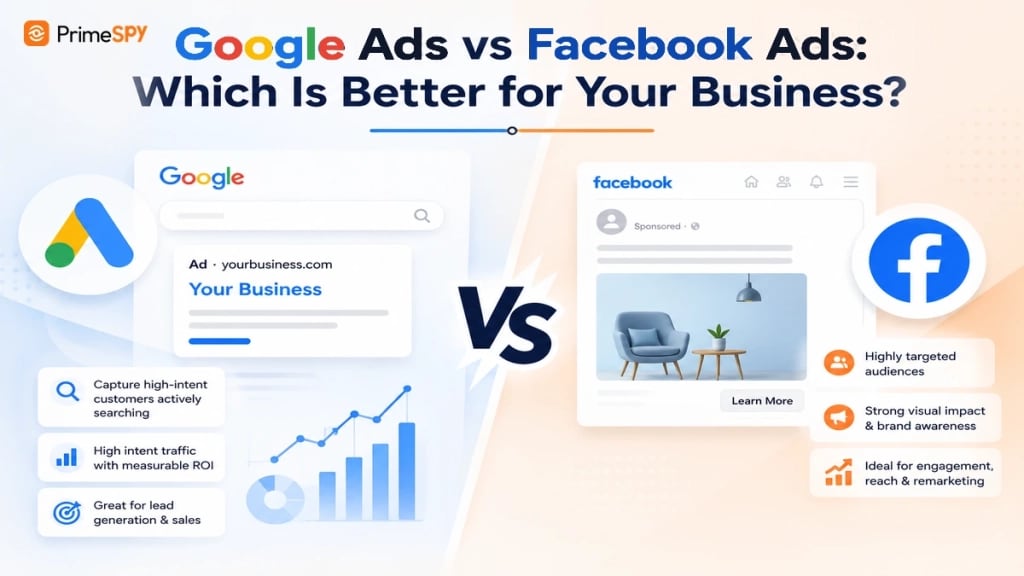
google ads vs facebook ads.
Research only creates value when it changes what you launch. Here is a practical transfer process:
1. Build a Creative Brief from PrimeSpy Data
Before opening Ads Manager, document what you found:
- The top three hooks competitors are using
- The dominant ad format in your niche
- The most common CTA and landing page structure
- The audience signals implied by the ads (language, imagery, offer type)
This brief becomes the input for your own creative production.
2. Set Up Your First Facebook Campaign
In Facebook Ads Manager, create a campaign using the structure informed by your research:
- Campaign objective: Match the funnel stage you observed. If competitors are driving direct product sales, use Sales. If they are building lists first, use Leads.
- Ad set targeting: Use broad targeting or Advantage+ Audience with the interest themes you identified from competitor ads. PrimeSpy's advertiser audience insights help you understand which interests and placements competitors appear in.
- Creative: Produce two to three variations of the winning angle you identified, not copies of the competitor ad.
3. Validate with Your Own Data
PrimeSpy tells you what is likely to work based on market signals. Facebook Ads Manager tells you what actually works for your specific offer and audience. Run a small test budget, measure CTR and ROAS, and scale only the creatives that clear your thresholds.
For a deeper comparison of how PrimeSpy stacks up against other Facebook-focused ad tools, see PrimeSpy vs Winning Hunter vs Swipekit.
Practical Example: Dropshipping Product Validation
Imagine you want to test a posture corrector product. Here is the PrimeSpy-to-Facebook workflow in action:
- Search: Enter "posture corrector" in PrimeSpy and filter for Facebook ads running 30+ days with high duplicate counts.
- Analyze: You find five advertisers running similar products. Three use a "doctor-designed" angle, two use a "desk worker pain" angle. The doctor-designed ads have higher reach and longer run times.
- Track: Add the top two advertisers to your tracker to monitor their creative refreshes over the next two weeks.
- Build: Create a Shopify store for your posture corrector. Use the doctor-designed angle as your primary hook, but add a unique proof element, such as a specific clinical reference or a different demo format.
- Launch: Set up a Facebook Sales campaign with two video variations and one static image. Target broad with an interest stack based on the audience signals you observed.
- Iterate: After three days, check your CTR and CPC against the benchmarks implied by PrimeSpy's reach data. Kill underperformers and scale the winner.
This workflow removes the biggest dropshipping risk: launching a product nobody has proven demand for. PrimeSpy shows you the demand exists; Facebook lets you capture it.
Common Mistakes to Avoid
Copying Ads Instead of Extracting Angles
PrimeSpy is a research tool, not a cloning tool. Copying a competitor's creative verbatim risks ad account flags, audience overlap, and creative fatigue. Extract the angle, the hook structure, and the offer logic, then produce original creative.
Ignoring Run Time and Duplicate Signals
A flashy ad with high engagement but a three-day run time is not a winner. It is a test. Prioritize ads that have stayed live for weeks or months with high duplicate counts. Those signals indicate sustained advertiser investment.
Researching Without a Tracking System
One-off searches create scattered insights. Set up PrimeSpy trackers for your top three to five competitors before you launch. The ongoing updates are often more valuable than the initial search because they show how winners iterate.
Skipping the Facebook Validation Step
PrimeSpy data is directional, not definitive. An ad can look successful in the intelligence layer and still fail for your specific audience, offer, or landing page. Always validate with a small Facebook test budget before scaling.
PrimeSpy vs Facebook Native Tools: When to Use Each
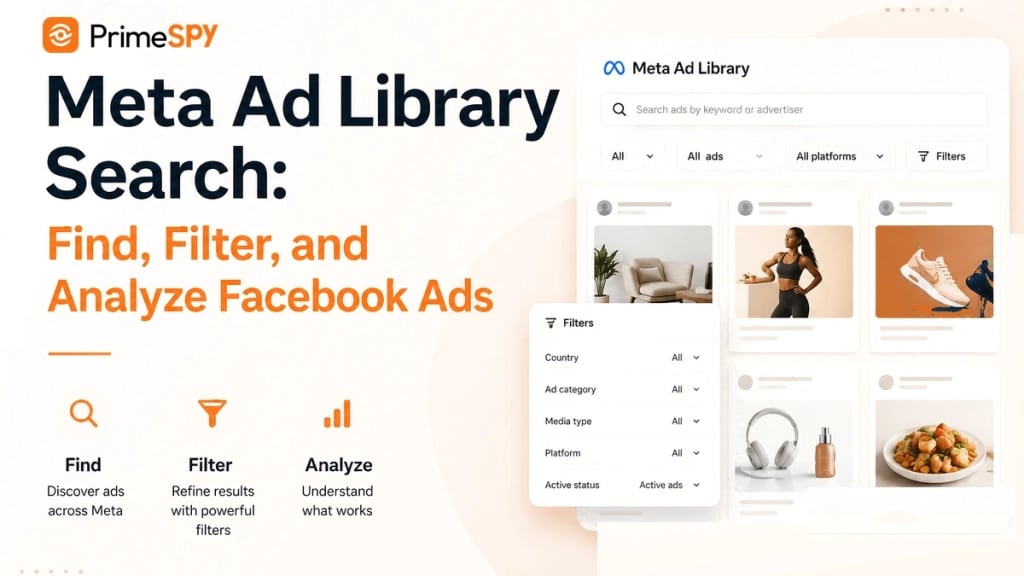
Meta Ad Library Search.
Facebook's native tools serve a different purpose than PrimeSpy:
- Use Facebook Ads Manager for campaign creation, budget control, audience building, and performance measurement.
- Use Meta Ad Library for basic transparency checks and quick manual browsing of a specific advertiser.
- Use PrimeSpy for cross-advertiser discovery, filtered research at scale, competitor tracking, and trend identification across Facebook and TikTok.
The combination is most powerful when PrimeSpy informs what you build and Facebook measures how it performs. For a detailed look at how PrimeSpy compares to other ad intelligence platforms, see PrimeSpy vs Anstrex.
Sources and further reading
- Ad Spy Tool for Facebook Ads, TikTok Ads & Meta Ad Library - PrimeSpy is an ad spy and ad intelligence tool for Facebook ads, TikTok ads, and Meta Ad Library research. Find winning ads, spy on competitors, analyze creatives, and find dropshipping and ecommerce product ideas faster.
- Free Competitor Ad Tracker for Brands & Stores - Track competitor ads in real time with PrimeSpy, an ad tracking tool for Facebook, Instagram, and Meta Ads creatives, landing pages, and campaign updates.
- Creative Insights & Ad Strategies - Learn how to find winning ads, track competitors, analyze Meta and TikTok creatives, and turn ad intelligence into better campaigns with PrimeSpy.
Frequently Asked Questions
Is PrimeSpy free to use with Facebook?
PrimeSpy offers a free trial with 500 credits, which is enough to test the core Facebook research workflow. The Pro plan costs $9.99 per month for 20,000 credits, unlimited creative downloads, and full ad analytics.
Can PrimeSpy replace Facebook Ads Manager?
No. PrimeSpy is a research and intelligence tool. You still need Facebook Ads Manager to create campaigns, set budgets, manage audiences, and measure performance. PrimeSpy informs what you build; Ads Manager executes and measures it.
How is PrimeSpy different from the free Meta Ad Library?
Meta Ad Library provides basic ad transparency but lacks advanced filters, spend and reach estimates, competitor tracking, trend signals, and cross-platform search. PrimeSpy adds these layers on top of Facebook and Meta data.
What Facebook ad formats can I research with PrimeSpy?
PrimeSpy supports research across video, image, and carousel ad formats. You can filter by format, CTA type, e-commerce platform, duplicates, reach, and ad spend to narrow results.
Can I track a specific Facebook advertiser with PrimeSpy?
Yes. PrimeSpy's ad tracker lets you add competitors by brand name, website URL, or Meta advertiser profile. You receive automatic updates on new ads, creative refreshes, and landing page changes.
Does PrimeSpy work for Facebook dropshipping research?
Yes. PrimeSpy is widely used by dropshippers to find winning products, validate demand through active ad signals, and study competitor funnels before launching on Facebook. For a broader overview of the ecommerce platform side, see What Is Shopify?.
Conclusion
PrimeSpy and Facebook are complementary tools that solve different parts of the advertising workflow. PrimeSpy answers the research questions: what is working, who is running it, how long has it been live, and what angle is scaling. Facebook answers the execution questions: does this creative convert for my audience, what is my ROAS, and where should I scale next.
The most effective advertisers use both. They research with PrimeSpy before they build, track competitors while they run, and validate with Facebook Ads Manager before they scale. Start with the free trial, run one structured research workflow, and let the data replace the guesswork.
For more on how PrimeSpy compares to other Facebook ad intelligence tools, explore PrimeSpy vs GetHookd and Adplexity Social Review.